Get your own Cobbleverse server in Brazil, with the pack pre-installed, a control panel and Anti-DDoS. Use the matching pack release on each player's client.
“O melhor suporte já visto. Tive problemas com configuração para hostear um modpack de minecraft, o suporte foi o melhor possível, e durante a noite, deixou meu servidor 100% funcional, ótimo atendimento.”
“Sou cliente da RoxyCloud há mais de 3 anos e posso dizer com total confiança que é a melhor hospedagem de servidores Minecraft no Brasil. O desempenho é incrível.”
“A RoxyCloud é hospedagem que entrega: site no ar em 10 minutos, suporte que responde às 2h da manhã e infra no Brasil. Meu servidor de Minecraft com 50 jogadores roda liso, sem lag.”
Prepare the server and matching client
Check the exact pack release and loader, and keep a backup before changing an existing world.
Everything to create your Cobbleverse server in Brazil: exclusive plan price, 8 GB RAM, Fabric 1.21.1, IP and port in the panel, multiplayer, Anti-DDoS and activation in minutes.
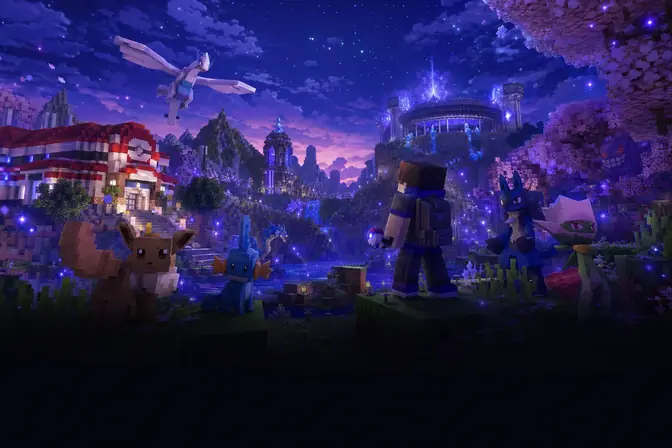
To create your Cobbleverse server, hire the exclusive plan on this RoxyCloud page. After payment, the machine is provisioned with the Cobbleverse modpack (Fabric 1.21.1) already installed: you get a panel, IP and port to connect in Minecraft, without assembling mods by hand.
The exclusive Cobbleverse plan at RoxyCloud costs R$ 79,99/month (from R$ 88,88). It includes 8 GB of RAM, 4 vCPU, 25 GB NVMe SSD, the Cobbleverse modpack pre-installed, Gamer Anti-DDoS and a datacenter in Brazil.
Yes. This plan is exclusive to Cobbleverse: the modpack already comes installed and configured on the server with Fabric 1.21.1. You hire, get the panel with IP and port, and connect in Minecraft.
The RoxyCloud Cobbleverse server runs Minecraft Java Edition 1.21.1 with Fabric. Bedrock Edition is not compatible with this modpack.
The Cobbleverse plan includes 8 GB of RAM, sized for the modpack with headroom for players. For very large communities, talk to us on WhatsApp about a plan upgrade.
After Pix or card payment, activation usually takes a few minutes. The panel releases IP, port and the Cobbleverse modpack already installed: install the pack on the client and connect.
Yes. Cobbleverse hosting uses a datacenter in Brazil. Players in Brazil usually have ping between 5 ms and 60 ms.
After activation, open the panel and see the dedicated IP and port under Panel → Connection. In Minecraft Java, install the Cobbleverse modpack in the launcher and add the server with that IP:port.
Yes. Share the IP and port (visible in the panel) with whoever will play. Each player needs Minecraft Java and the Cobbleverse modpack installed on the client.
Yes. Every Cobbleverse plan includes Gamer Anti-DDoS at the network edge, filtering attacks before they hit your Minecraft server.
With approved Pix or card, activation usually takes a few minutes. Panel, IP, port and Cobbleverse already installed are available right after provisioning.
RoxyCloud support helps with the panel, network, startup and common hosting errors. For Cobbleverse-specific mod questions, the team points you in the right direction; advanced gameplay setup is up to the server admin.
General RoxyCloud customer experiences from its public profile. These are not reviews exclusive to this plan or product. Original comments are in Portuguese.
“Melhor hospedagem que tem, incrivel, suporte 10/10, servico bem feito, 0 lag, 0 travamentos na hospedagem, simplesmente RoxyCloud”
“Excelente Host, muito estável!, excelente suporte também!”
“Ótima experiência e suporte muito rápido e eficiente”




 Brazil5~60ms